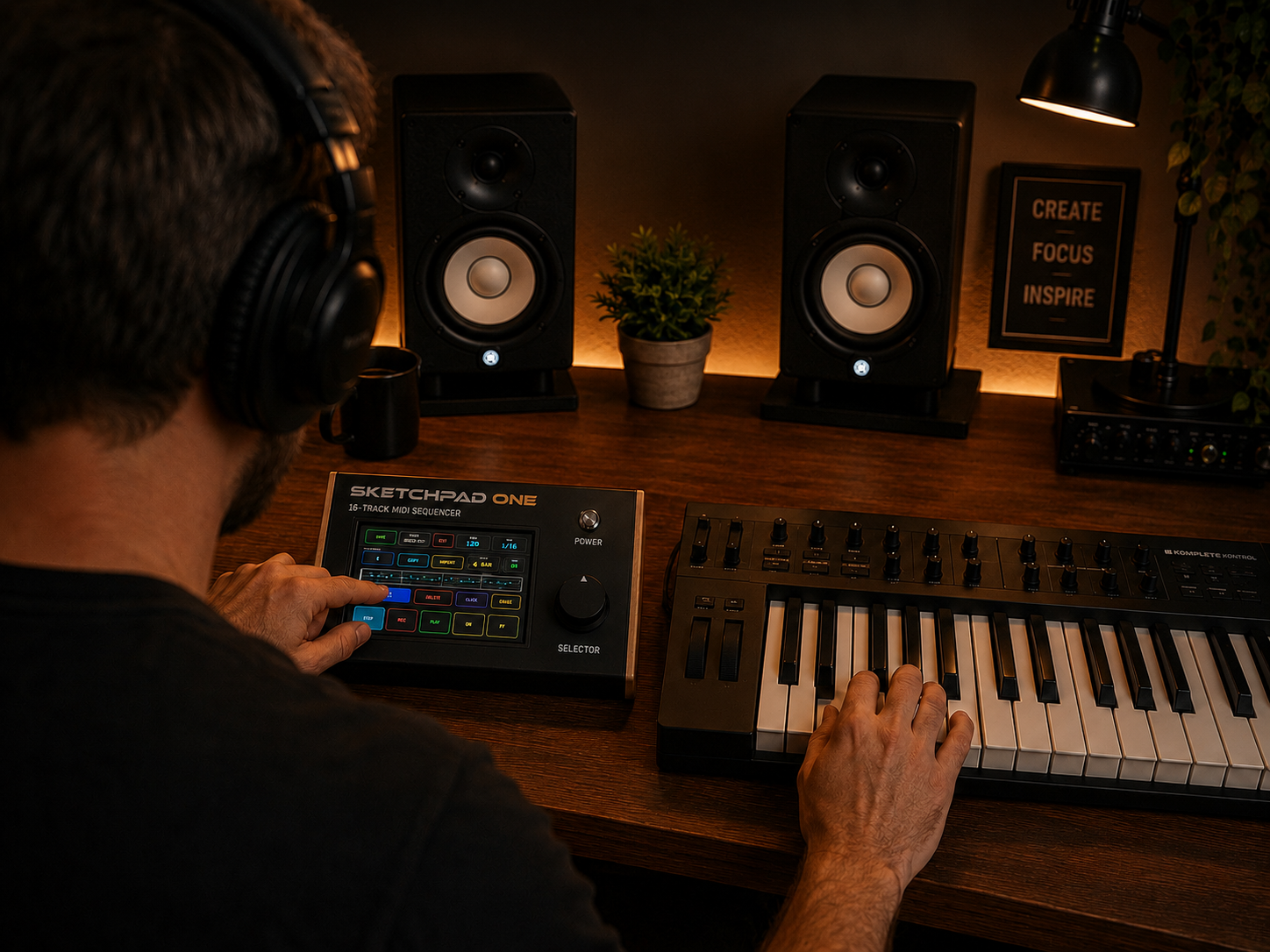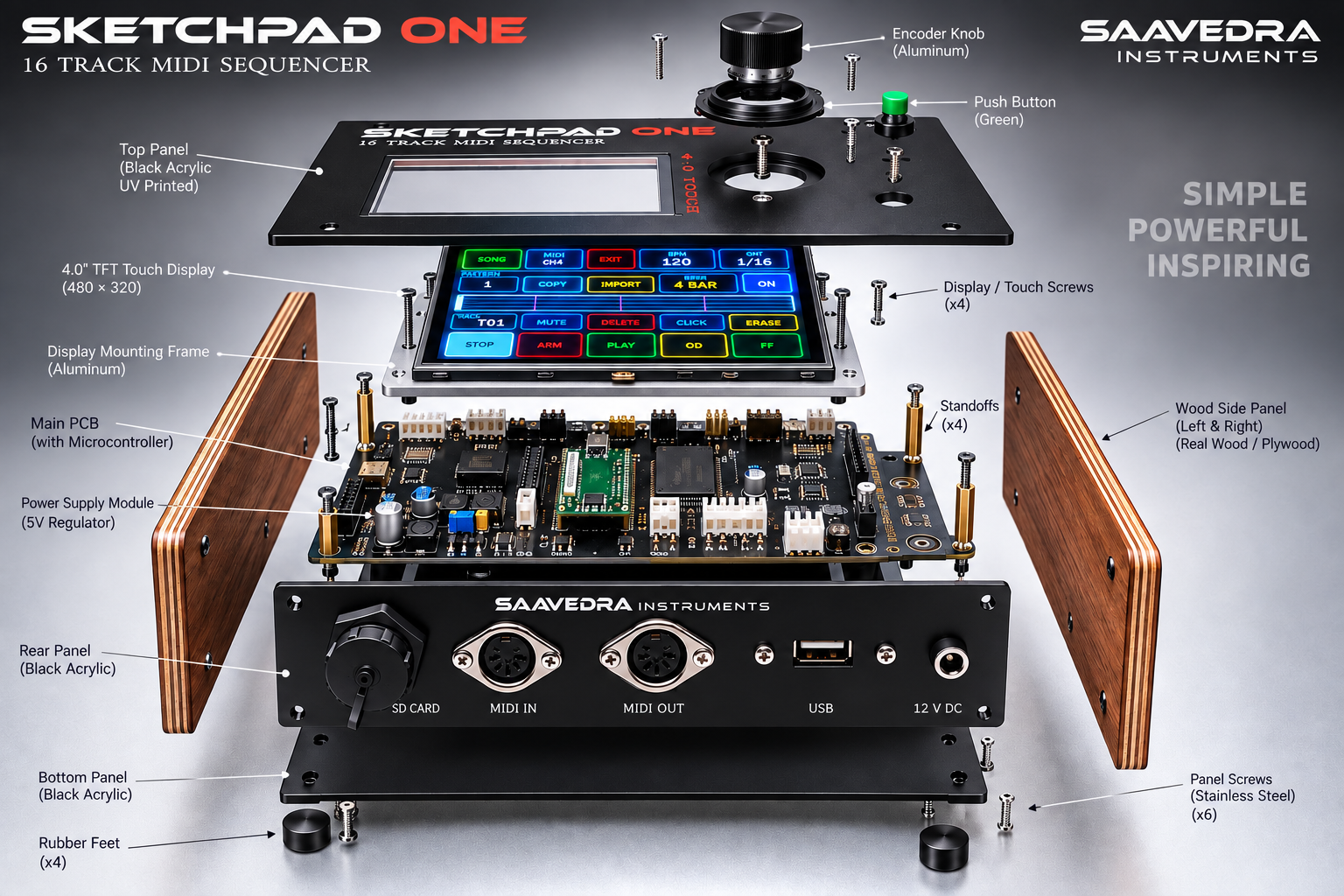
SKETCHPAD ONE
16 TRACK MIDI SEQUENCER
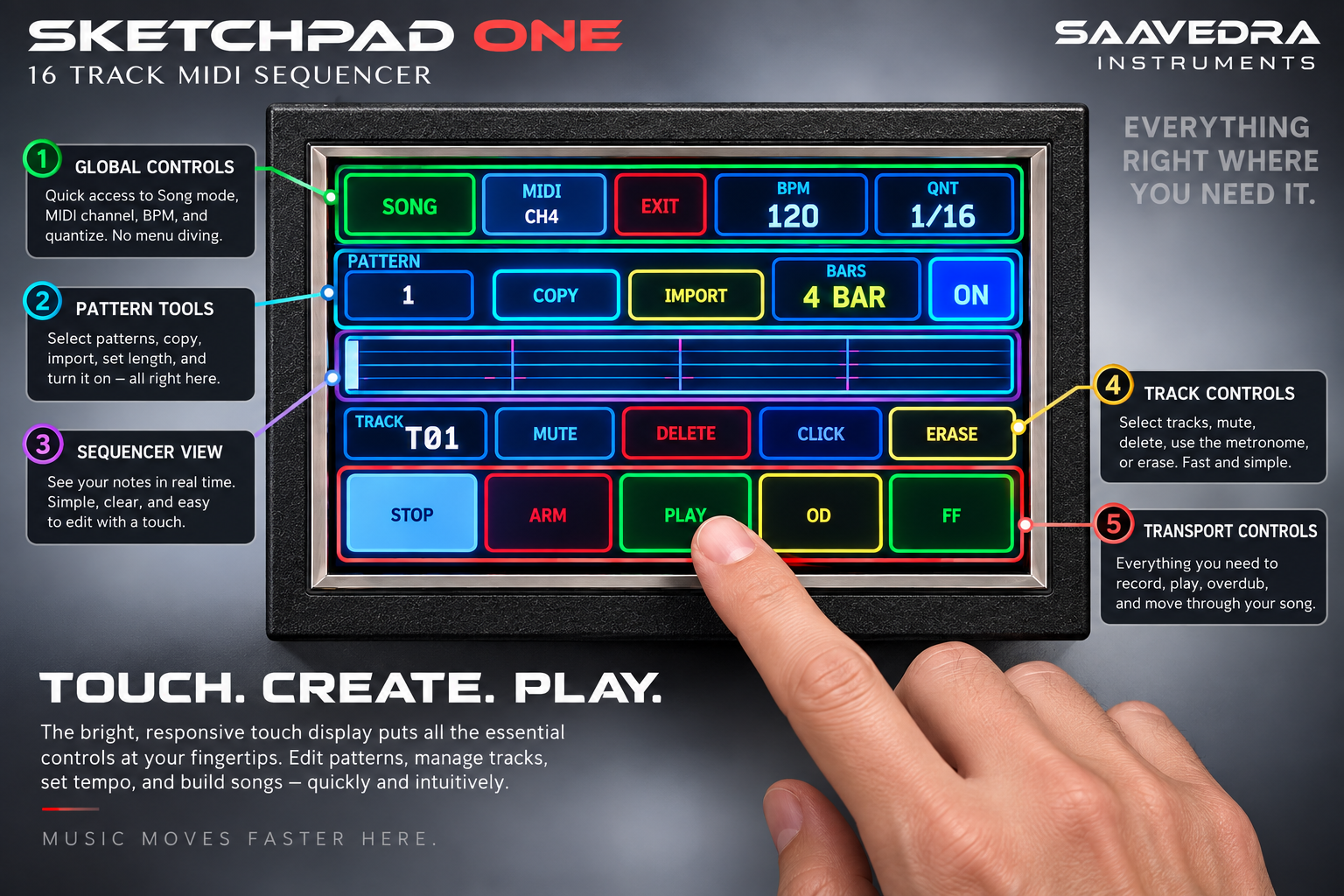
Your Music at Your Fingertips
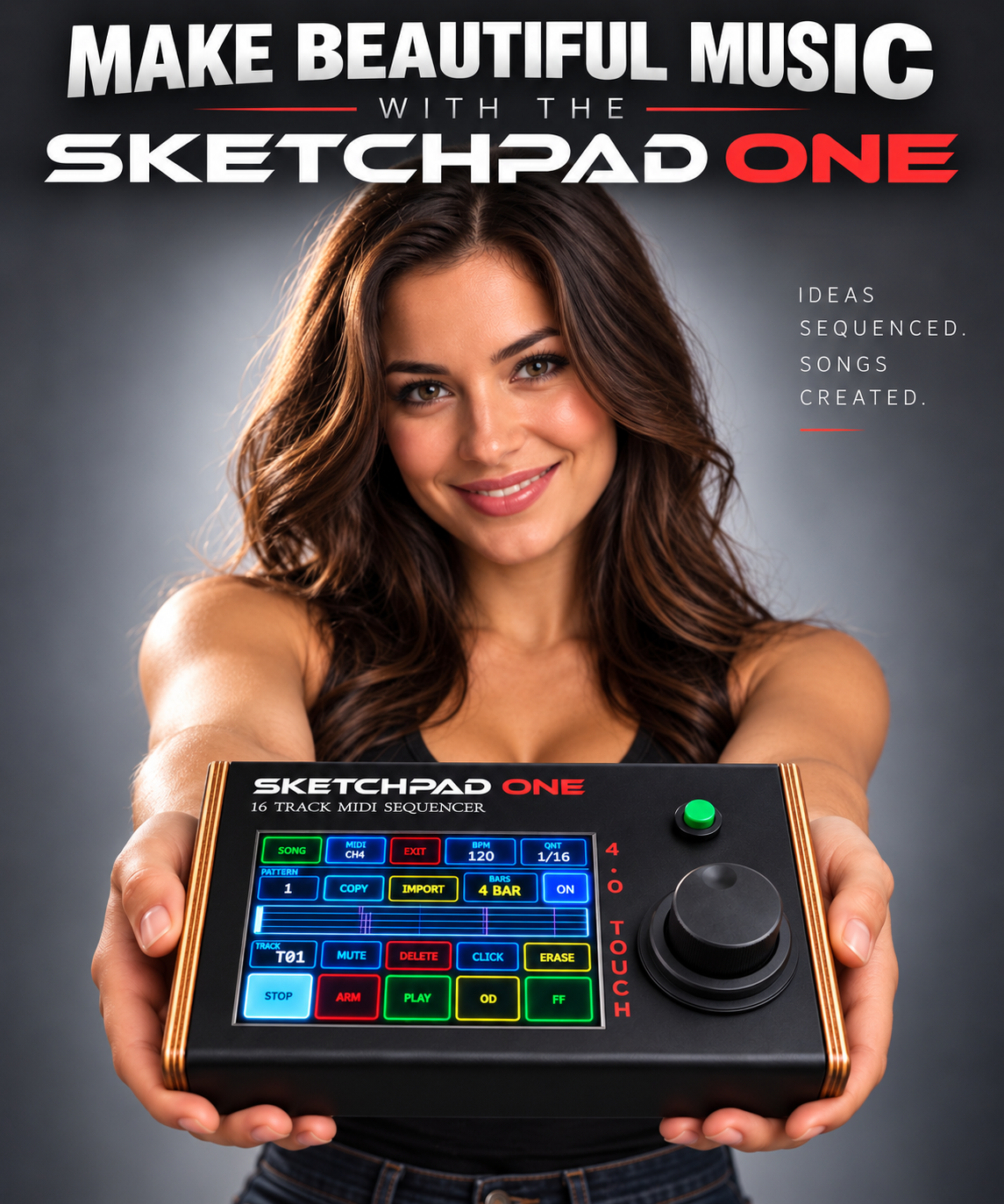
Sketchpad One’s 4-inch color touchscreen puts the essentials within easy reach. Clearly labeled controls let you record, play, overdub, and mute tracks, while the display keeps your track, tempo, and pattern settings in view.
Touch to select a setting, then turn the encoder to adjust it. It’s a straightforward, hands-on workflow designed to keep your attention on the music—from your first idea to your next arrangement.
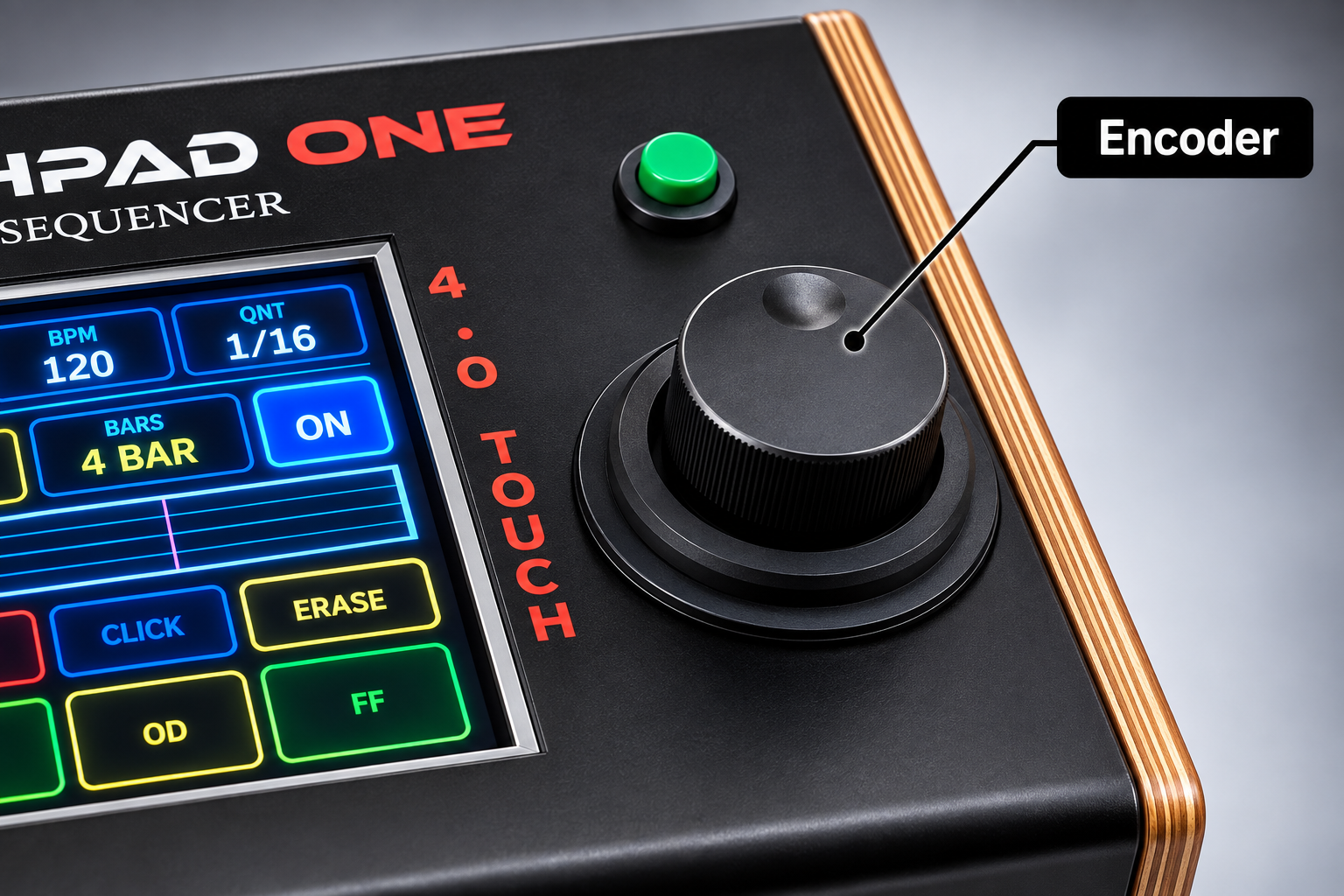
A Hands-On Connection
The encoder brings a familiar, tactile feel to Sketchpad One. Select a setting on the touchscreen, then turn the knob to change tracks, dial in your tempo, choose quantization, or adjust your pattern length.
Touch and turn work together naturally, making everyday adjustments simple so you can keep your ideas moving.
Sketchpad One — Features & Specifications
From recording your first part to arranging a complete song, Sketchpad One brings your MIDI instruments together in a standalone, hands-on workflow. Record performances, layer tracks, build patterns, and organize your ideas without a computer.
Tracks & Patterns
16 MIDI tracks per pattern.
999 pattern slots per project.
Seven pattern lengths: 1, 2, 4, 8, 16, 32, or 64 bars.
Assignable MIDI channels: Set each track to any channel from 1–16. Multiple tracks can share the same channel.
Individual track muting: Bring parts in and out during playback without deleting recorded material.
Loop playback: Repeat a pattern while you listen, practice, or build additional layers.
Queued pattern changes: With looping enabled, select the next pattern while the current pattern plays. The change takes place at the pattern boundary.
Independent pattern settings: Store tempo, pattern length, quantization, and MIDI channel assignments with your patterns.
Recording & Performance
Real-time MIDI recording from a connected DIN MIDI keyboard or compatible USB MIDI controller.
Overdub recording adds new performances to an existing track.
Continuous loop overdubbing lets you build a part over successive passes.
One-pass normal recording: With looping enabled, recording ends at the pattern boundary and playback continues.
Expressive MIDI capture: Records notes, velocity, pitch bend, sustain pedal, other MIDI control changes, program changes, polyphonic aftertouch, and channel pressure.
Live MIDI routing: Play your connected instrument through the selected track’s assigned MIDI channel.
Velocity control: Preserve incoming note velocity or use a fixed note-on velocity of 100.
Aftertouch control: Enable or filter incoming polyphonic aftertouch and channel pressure.
Timing & Transport
Tempo range: 40–240 BPM.
Time signature: 4/4.
Sequencer resolution: 96 ticks per quarter note.
Recording quantization: Off, 1/4, 1/8, 1/16, or 1/32.
Touchscreen transport: Stop, Arm, Play, Overdub, and Fast Forward.
Stop and resume: A single Stop press holds the playback position.
Return to beginning: Double-tap Stop to return to the start.
Bar navigation: Fast Forward advances to the next bar.
Recording from a bar boundary: Normal recording started from a stopped position snaps back to the beginning of the current bar.
Copy, Delete & Erase
Copy complete patterns to other pattern slots within a project.
Copy individual tracks within a pattern or between patterns, including their MIDI channel assignments.
Overwrite confirmation when copying into a destination that already contains data.
Delete individual tracks or complete patterns.
Erase recording passes: Remove a selected recording or overdub pass while retaining the other passes on that track.
Manage saved projects and songs from the Home menu.
Song Mode
Turn your patterns into a complete arrangement.
Up to 256 pattern blocks per song.
1–16 repetitions per block.
Reuse a pattern in multiple places throughout an arrangement.
Insert new blocks after the selected block.
Edit block labels and repeat counts, or delete unwanted blocks.
Choose section labels including Intro, Verse, Chorus, Bridge, Break, Outro, and Pattern.
Combine patterns with different lengths and saved tempos.
Select a song block as the playback starting point.
Stop and resume from the stored song position.
Double-tap Stop to return to the beginning.
Save and load named song arrangements within a project.
MIDI File Player
A separate playback mode lets you use Standard MIDI Files with your external MIDI instruments.
Supports Format 0 and Format 1 MIDI files using musical tick timing.
Provides up to 16 playback parts, with four track rows visible at a time.
Assign an output MIDI channel to each part.
Mute and Solo controls for individual player parts.
Adjust playback tempo from 40–240 BPM.
Global transpose: −12 to +12 semitones.
Displays track or instrument names when available, with General MIDI program-name fallback.
Shows track activity during playback.
Includes Play/Pause, Stop, and Panic controls.
Save named player setups containing channel assignments, mute and solo states, tempo, and transpose settings.
Automatically recalls a matching saved setup when its MIDI file is loaded.
MIDI Import & Export
Import MIDI into a selected sequencer track to use existing phrases in a pattern.
Imported channel data is combined into the chosen destination track and plays through that track’s assigned MIDI channel.
Import uses the current pattern’s tempo, quantization, and length. Material beyond the pattern length is clipped, and existing destination-track data is replaced.
Export saved song arrangements as Format 1 MIDI files for use in compatible music software and hardware.
Export includes 16 musical tracks plus a tempo track, preserving the arrangement’s pattern repetitions, channel assignments, and saved tempo changes.
Exported files use 96 ticks per quarter note.
Metronome & Synchronization
MIDI clock master output at 24 pulses per quarter note.
Sends MIDI Start and Stop with sequencer transport.
Synchronizes compatible external drum machines, sequencers, and arpeggiators.
MIDI note metronome uses a connected sound source for its click.
Independently selectable normal-beat and downbeat-accent notes.
Assignable metronome MIDI channel from 1–16.
Click modes for Playback Only, Record Only, or Record + Playback.
One- or two-bar count-in when the MIDI note click is enabled for recording.
Click-source choices: Off, Note, or Clock.
Saves click preferences with the project.
Display & Controls
4-inch color touchscreen.
480 × 320 display resolution.
Rotary encoder for parameter adjustment and menu navigation.
Touch a sequencer parameter, then turn the encoder to adjust it.
Onscreen track, channel, tempo, quantization, pattern-length, and loop controls.
Visual note-activity lane and moving playback cursor.
MIDI input activity indicator.
Touchscreen QWERTY keyboard for naming projects, songs, and MIDI player setups.
Connections, Storage & Updates
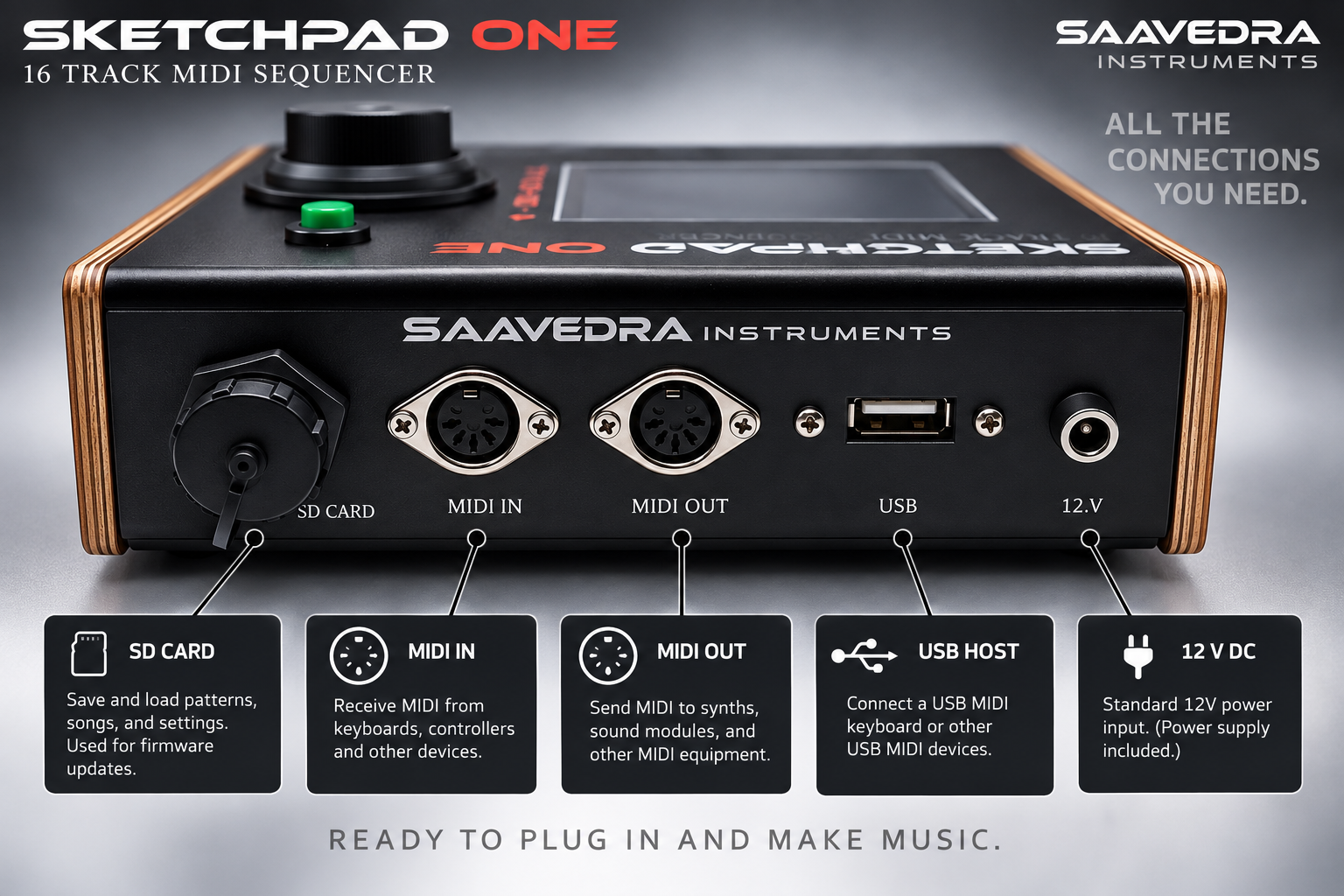
DIN MIDI In and Out.
USB MIDI host input for a compatible controller.
SD card storage for projects, patterns, songs, MIDI files, and player setups.
Manual project saving, plus automatic saving of changed patterns when pressing Stop or switching pattern slots.
Project and song names up to 16 characters; MIDI player setup names up to 32 characters.
Firmware updates from the SD card through the Settings menu using a compatible newer Sketchpad One EHEX update file.
Capacity Reference
Specification Capacity Sequencer tracks16 per pattern Pattern slots999 per project Maximum pattern length64 bars MIDI event storage2,048 events per track Total event capacity across 16 tracks32,768 events per pattern Song arrangement256 blocks Block repetitions1–16Project browser Up to 256 entries Saved-song browser Up to 128 entries per project MIDI file browser Up to 128 files MIDI File Player event limit Up to 50,000 events, subject to available memory
MIDI events include note-on, note-off, controller, and other supported messages; event capacity is not a count of complete notes.
Designed for Your MIDI Instruments
Sketchpad One controls external MIDI sound sources. Connect a synthesizer, sound module, drum machine, or other compatible instrument to hear your performances. Solo and transpose controls are provided in the dedicated MIDI File Player; Pattern Mode provides individual track muting.
Sketchpad One
16 Track MIDI Sequencer
Unusually simple controls with powerful sequencing design